
MacBook Neo: full review, price, and whether it's worth buying
Complete MacBook Neo review: features, price, MacBook Air comparison, and our opinion on whether it's worth buying. Is it the best laptop for students?
MAC Y MACBOOK
4/1/20267 min read
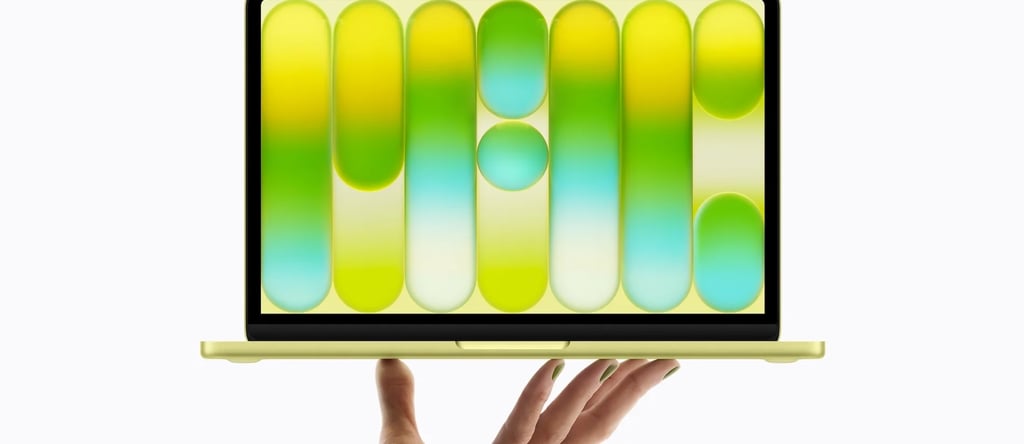
Macbook Neo: Complete review.
For years, entering the Apple computer ecosystem meant accepting a high price tag. Even the most affordable model, the MacBook Air, remained more expensive than most consumer laptops on the market.
With the launch of the new Neo model, Apple seems to want to change that perception; they want to change the rules of the game. This new laptop seeks to offer the Mac experience to a wider audience—especially students, home users, and those wanting their first computer from the brand without paying the cost of professional models, or simply those looking to upgrade their old MacBook or have a secondary device for on-the-go use.
But the big question is inevitable: is the MacBook Neo actually worth it, or is it just a stripped-down Mac to lower the price?
In this comprehensive review, we will look at its design, performance, technical specs, and what type of user should consider buying it
Design and construction.
One thing Apple rarely sacrifices is design. It maintains many of the hallmarks of the rest of the MacBook lineup. The laptop uses a recycled aluminum chassis, giving it a premium look that many competitors in this price range don't offer. The build is solid, with no flex in the keyboard or screen—something that remains one of the advantages of Apple laptops over many mid-range Windows machines. And most importantly, it's made of aluminum.


The device maintains a slim and lightweight design, built to be easily carried in a backpack or bag. This makes it an attractive option for students or people who work in different locations rather than just the office, as well as for those who travel with a laptop and need to keep handling tasks or edits. Additionally, Apple offers four colors, following the visual strategy of other recent products from the brand; you can get it in silver, cloud pink, citric (a greenish-yellow), and indigo (navy blue).
Screen.
It features a 13-inch Liquid Retina display, which reminds some of the 13-inch iPad lineup; however, there are no complaints here as it continues to prove it has great color reproduction, 3.6 million pixels, and 500 nits of brightness—sufficient for most workspaces. Although it doesn't reach the brightness levels or the advanced technology found in its bigger siblings, the MacBook Air and Pro, the screen remains clearly superior to many competing laptops in the same price range. For tasks such as:
web browsing
document work
content consumption
basic photo editing
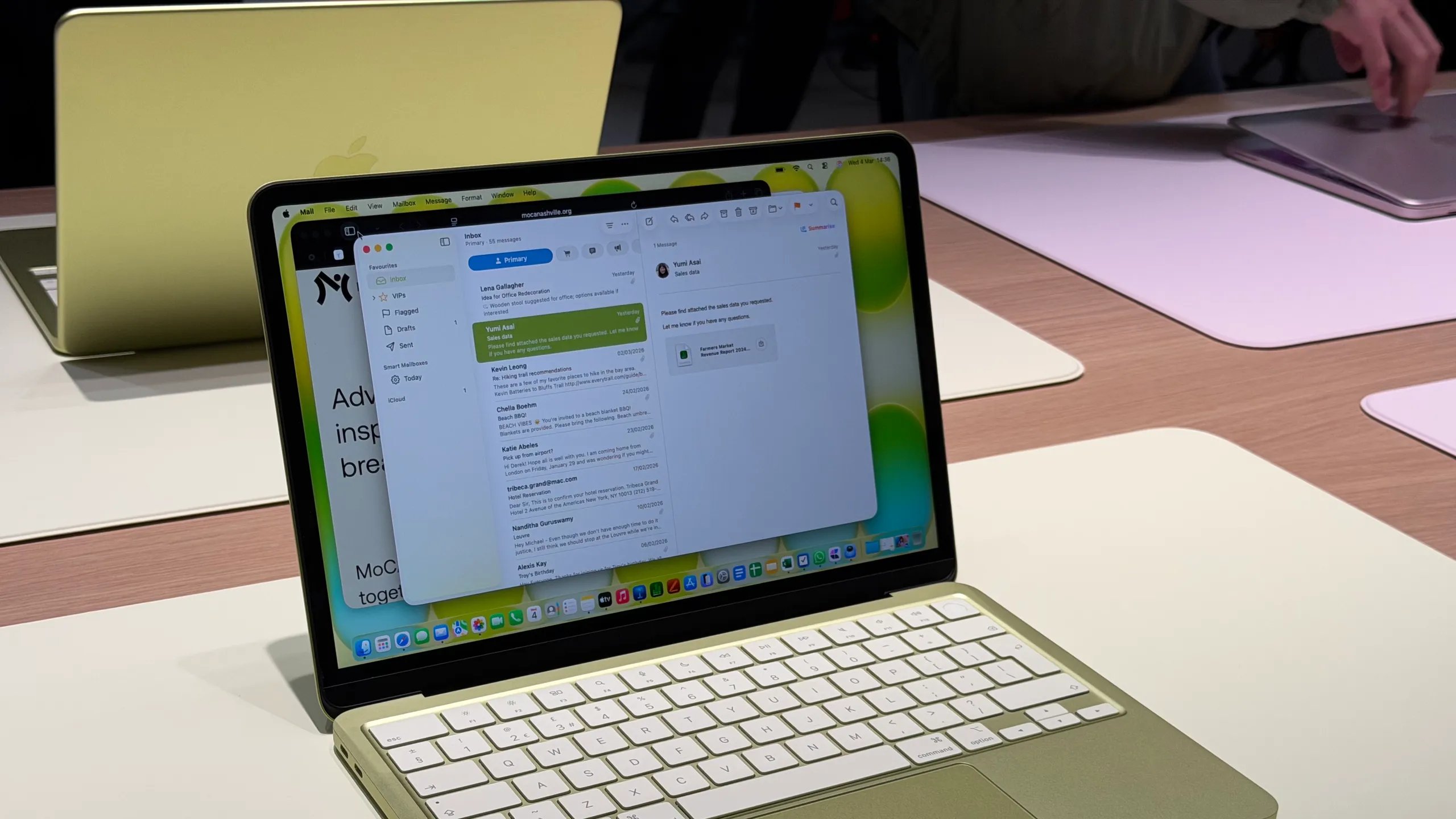
The screen performs perfectly. Where it falls a bit short is in professional uses such as advanced video or photo editing—where the MacBook Pro panels still have the edge—or in very bright outdoor conditions. However, for the average user, it is more than enough, as the maximum brightness covers basic needs for normal use, with a color range that won't leave anyone indifferent. And if you're worried about the FaceTime camera quality... it features 1080p, similar to the iPhone 12 or 13 models, which is more than sufficient.
Performance and processor.
One of the most interesting aspects of the MacBook Neo is its processor. Instead of using the M-series chips we had grown accustomed to since the departure from Intel models, Apple has opted to integrate a processor based on the architecture of the chip used in the iPhone 16 Pro and Pro Max: the A18 Pro. This demonstrates how far Apple's mobile processors have evolved in recent years, showing they can balance effectiveness with efficiency—always keeping in mind the necessary limits for everyday tasks such as:navegación con múltiples pestañas
content consumption
office application tasks
video calls
streaming
light editing
But don't be alarmed; you will be able to edit videos without any issues. As long as they aren't complex professional edits, you can comfortably handle any video montage in various programs, such as iMovie (Apple's native app), Canva, or CapCut, among others. The performance is more than enough. However, when it comes to more demanding tasks like professional video editing, 3D modeling, or heavy programming, it shows its limitations compared to more powerful models in the Mac lineup. If you are the type of user who needs high performance, this one isn't for you—you'll have to look at the other models.
Battery and autonomy.
One of the MacBook Neo's strong suits is its battery life. Apple has optimized energy consumption exceptionally well thanks to the efficiency of its chips, allowing for a battery life of nearly 15 to 16 hours with moderate use. This means most users will be able to work through an entire day without needing to charge the laptop. For students or professionals who spend many hours away from home or the office, this battery life is a major plus.
Keyboard, trackpad, ports and connectivity.
Apple continues to offer one of the best trackpads on the market. The MacBook Neo's trackpad is spacious, precise, and compatible with all macOS gestures, making system navigation very comfortable. (While it lacks the Force Touch haptic feedback found in the Pro models, opting for a traditional mechanical click to reduce costs, it remains remarkably responsive). The keyboard maintains the current MacBook design, with good key travel and a solid typing feel. For people who spend many hours writing, this is an important feature.
One of the trade-offs of the MacBook Neo is the number of available ports. The laptop includes:
two USB-C ports
headphone jack
speakers
Wi-Fi connectivity
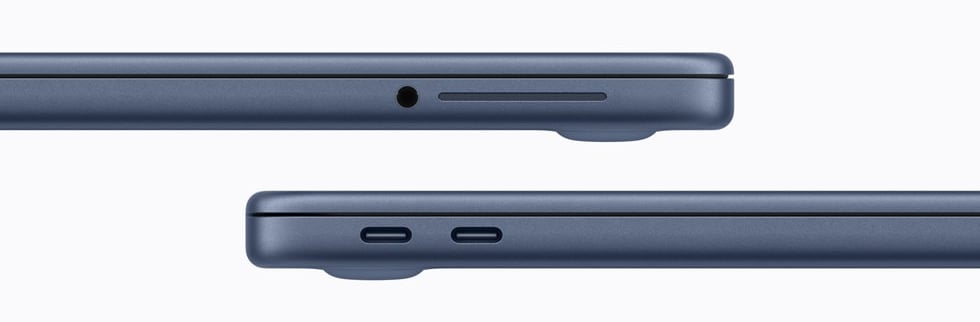
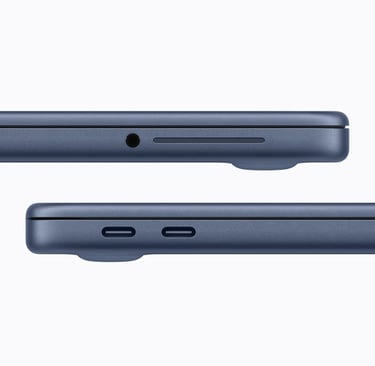
One thing to add is that these USB-C ports serve two functions: the first port is for charging the MacBook, which allows for faster charging starting from 20W (power adapter not included in Europe, but the rest of the countries are included). Since you have to buy the plug separately, we recommend going straight for the 30W one—it's much faster. On the other hand, if you plug it into the second port to charge, you'll get a 'slow charging' notification, as it is not the designated charging port. That second port is intended for data or connecting auxiliary devices; while this will be enough for many users, those needing to connect multiple peripherals will likely need a USB-C adapter or hub.
We will miss having the MagSafe charging connector, which is very convenient because it would leave one of the USB-C ports free for accessories. However, it’s not all bad news: MagSafe chargers are more expensive if you want a second unit for work or need a replacement—we’re talking about a €55 cable compared to the €25–€35 price range for 1m or 2m USB-C cables, respectively. Another point in favor of USB-C charging is that you don't have to carry so many different cables; with just one, you can charge your iPhone, iPad, AirPods, and MacBook. This is undoubtedly a highly recommended purchase for average users who carry more than one USB-C device.
As we can see, the speakers are strategically placed on the sides (next to the headphone jack) to avoid being muffled while using the laptop on your lap or any other surface. They aren't as powerful as those in the Air or Pro models, but they sound fantastic—more than enough.
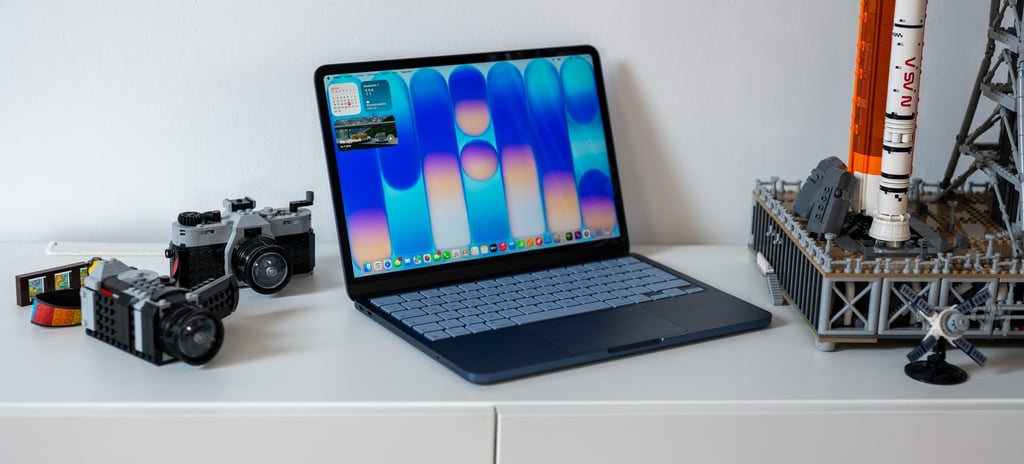
What can we say about the non-backlit keyboard? In 2026, and it has no backlighting? The truth is, the launch of this budget laptop has sparked a lot of conversation regarding its keyboard. Personally, it feels incredibly comfortable, much like the trackpad, which features a mechanical click—a different feel compared to other models, but it performs at an exquisite level.
It’s not backlit, no, but as an Apple user, I can assure you that it’s not really necessary. I had it on my other models and barely ever used it; typically, when you're using it, you're in a lit environment, so you won't even notice the lack of that feature.
Purchase options.
We must remember that there are two versions of this model. If we choose the 8GB RAM with 256GB storage version, the keyboard will not include Touch ID. However, if we buy the upgraded version with 512GB of storage (keeping the same RAM), we get Touch ID and double the storage—which is highly recommended. It only costs €100 more than the base model; without a doubt, it's a small price difference and represents the brand's best price-to-value ratio. Making the leap is more than justified, as you can never have too much capacity, and Touch ID provides the convenience of filling in passwords, downloading apps, or making Apple Pay payments just by placing your finger on the reader.
As for the price, the MacBook Neo starts at $599 for the base version and $699 for the 512GB version with Touch ID.
Macbook Neo vs Macbook Air comparison.
Next, we are going to do a visual comparison of the two most accessible MacBooks from Apple—something simple yet effective to help you choose the one that best fits your expectations and your daily laptop usage.
In simple terms:
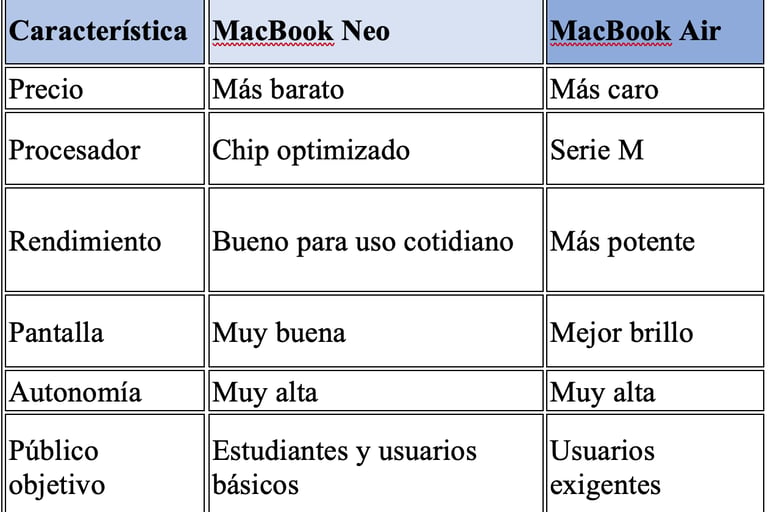
The MacBook Neo is designed for users who want to enter the Apple ecosystem at the lowest possible price point—for students, for those needing to upgrade without spending much for the standard use mentioned earlier, or even for people who need a secondary work laptop as a backup for when they are away from the office and want to keep working. Its 8GB of RAM runs very smoothly considering its limitations, providing more than enough for the majority of users.
The MacBook Air remains a more powerful and versatile option (just behind its big brother, the MacBook Pro); a true all-rounder. With a minimum of 16GB of RAM, you can leverage more resources simultaneously and handle a higher workload with heavier editing and programs.
Conclusion: Is the MacBook Neo worth it?
It represents a new strategy within Apple’s catalog. It does not intend to compete with or replace the MacBook Air. Its goal is different: to offer an entry point into the Mac world at a more accessible price. For students, home users, or people looking for their first Apple laptop, it can be a very attractive option.
However, those who need more power or flexibility should probably look toward higher-end models. Ultimately, it is not the most powerful Mac on the market, but it could certainly become one of the most popular, as it competes with many rivals at a competitive price with build materials that are superior for its price range.
If you have any questions, thanks, or suggestions, let me know in the comments or via email.